Free shipping · Duties included to the US & Canada · 30-day returns
Free shipping on every order
Duties included to the US & Canada
30-day returns · No subscription needed
01Warranty

Shipping, Returns & Limited Warranty

Clear, customer-first policies for every RuggedVision order, shipped worldwide except Africa, India, Pakistan, Bangladesh, Sri Lanka, and Nepal.

Need help with an order? Contact us

Shipping Policy

FREE GLOBAL DELIVERY · 3–15 BUSINESS DAYS
  • Free shipping on every order — no hidden fees, no minimum spend.
  • Estimated delivery: 3-15 business days, depending on the destination country and local customs clearance.
  • We currently ship to most countries worldwide. The following regions are not supported for delivery:
    Africa India Pakistan Bangladesh Sri Lanka Nepal
  • Order cancellation: Orders may be modified or cancelled within 6 hours of placement. Once dispatched, the order is locked for delivery.
  • A tracking link is emailed once your order ships. Live tracking is available on the carrier's portal.
  • Customs duties and import taxes (if any) are governed by the destination country and are the customer's responsibility.

Return Policy

30-DAY MONEY-BACK GUARANTEE
  • 30-day no-season return on unopened items in original packaging, starting from the delivery date.
  • 14-day DOA replacement: if your camera arrives defective or fails within 14 days, we will ship a replacement at no cost after verification.
  • Refunds are issued via the original payment method within 5-10 business days after the returned item is received and inspected. The actual posting time to your account depends on your bank or card issuer's processing speed.
  • Return shipping is paid by the customer unless the item is defective, damaged in transit, or the wrong product was sent.
  • Non-returnable items: custom-configured orders, 4G devices with activated SIM cards, cloud-subscription plans, and final-sale clearance items.
  • To start a return, contact support@ruggedvision.com with your order number and a brief reason.

Limited Warranty

1-YEAR STANDARD · EXTENDED FOR PARTNERS
  • 1-year limited warranty on all RuggedVision products — covering manufacturing defects and component failures under normal use.
  • Warranty starts on the original date of purchase as recorded in our system. Please retain your order confirmation as proof of purchase.
  • Not covered: damage from accidents, unauthorized modifications, use outside the published specifications, acts of nature, or cosmetic damage that does not affect function.
  • Replacement units may be refurbished or contain equivalent components at our discretion. The original warranty term is not extended.
Partner Program Members are eligible for an extended warranty on qualifying products per the partnership agreement. Contact support@ruggedvision.com for details.
02Downloads

Apps, Setup Videos & Installation Guides

Get every RuggedVision product up and running fast — download the UboxPro app, watch the connection tutorial, and follow the installation walkthrough for your specific model.

03Troubleshooting

Solve Common Issues by Category

Pick the topic that matches your problem — each card links to a focused FAQ with step-by-step solutions.

View all FAQs

Buying Guide

  • Products fit different scenarios
  • Select solar or plug-in cameras
  • Cameras work without Wi-Fi
  • Cameras operate indoors
View FAQs

App & Getting Started

  • Install app and add cameras
  • Cameras support multiple pairing ways
  • Device adding fails in app
  • View cameras on new phones
View FAQs

AOV,PIR & AI

  • PIR Detection & Maximum Range
  • AI Tracking Definition
  • AOV Frame & Snapshot Tuning
  • AOV Mode Exit Triggers
View FAQs

Night Vision &Audio

  • Night Vision Image Mode
  • Max Night-Vision Range
  • Two-Way Audio Function
  • Audio Recording Capability
View FAQs

4G & Connectivity

  • 4G cameras require SIM cards
  • 4G data plan billing rules
  • Use your personal SIM card
  • 4G bands & US compatibility
View FAQs

Weather & Install

  • Waterproof & Rain Performance
  • Separate Solar Panel Installation
  • Factory Reset Operation
  • High Temperature Resistance
View FAQs
04FAQs

Frequently Asked Questions

Browse 8 categories and 39 articles covering setup, AOV & AI detection, 4G connectivity, solar & battery, storage, night vision, weather, and troubleshooting.

05Contact Us

Talk to Our North America Support Team

Email tickets, live chat, and phone support are available Monday through Friday, 9 am – 6 pm Pacific Time.

Send us a message

Most tickets receive a response within 24 hours.

Still need a hand? Our North America team is here for you.

Email, live chat, and downloadable manuals are available 24/7. Most tickets receive a response within 24 hours.

Frequently Asked Questions

Browse 8 categories and 39 articles covering setup, AOV & AI detection, 4G connectivity, solar & battery, storage, night vision, weather, and troubleshooting.

No articles matched your search. Try a different keyword or contact our support team.
01

Buying Guide

19 articles

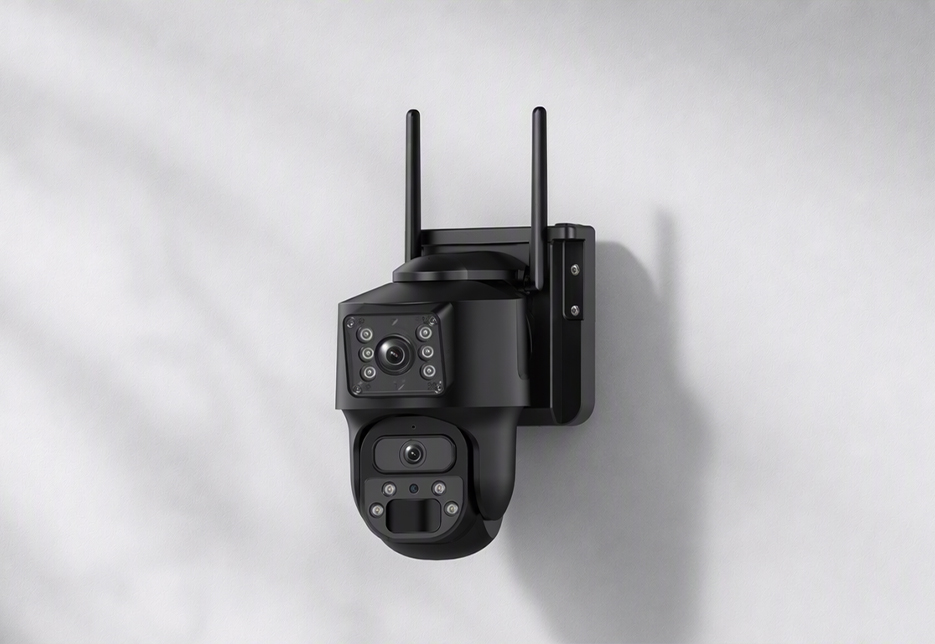
Our current lineup includes 2 cameras (with 4G/Wi-Fi options), 1 base station (kit system), 1 PTZ camera, 1 bullet camera, and two PoE NVR recorders: RV Twinview Wireless (AOV solar dual-lens bullet-dome camera): dual lens (wide-angle + close-up), dual solar panels, 5x optical zoom + 10x digital zoom, two-way audio, AOV, full-color night vision, IP65 weatherproof, 4G/Wi-Fi dual-mode, ideal for yards, entryways, driveways and other home and small-venue settings;

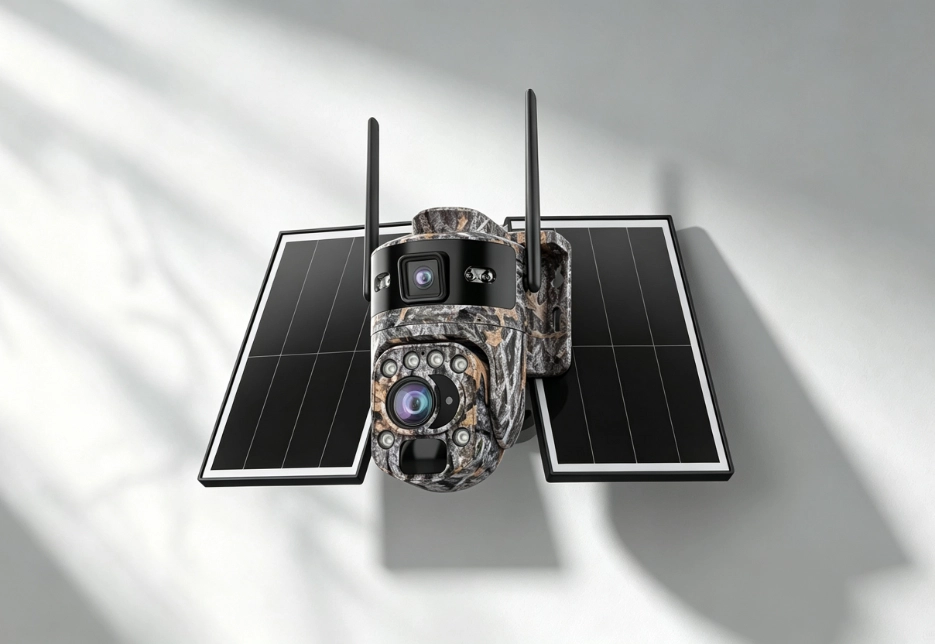
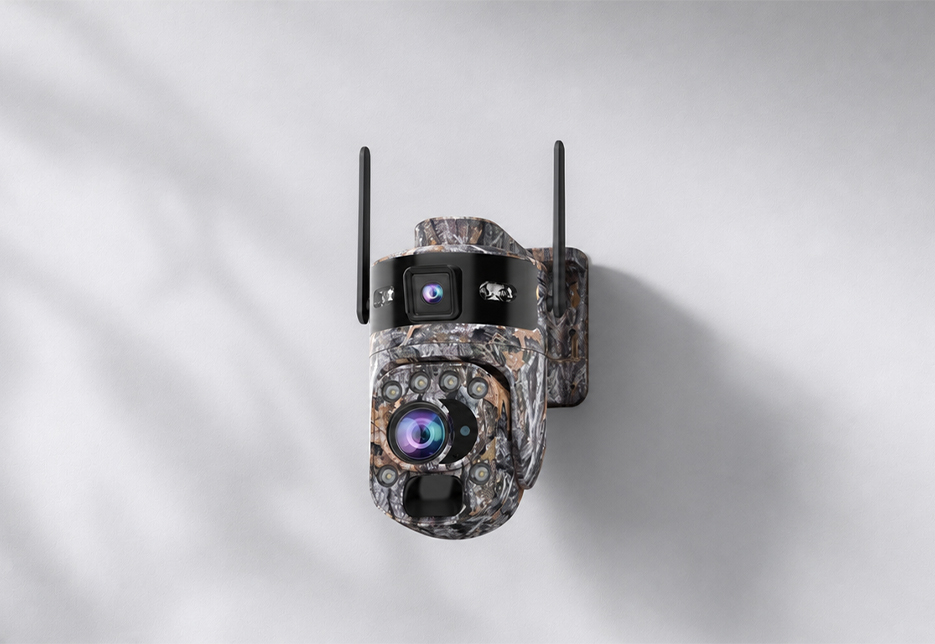
RV Ranger PRO Wireless (AOV solar camouflage camera with optical zoom): dual 5MP lenses (4K-grade image quality), 20x optical zoom + 16x digital zoom (36x hybrid zoom total), dual solar panels, two-way audio, AOV, IP66 weatherproof, white-light illumination for wake-up recording (IR illumination in AOV snapshot mode), human tracking, ideal for large-area sites such as farms, ranches, construction sites and warehouses;

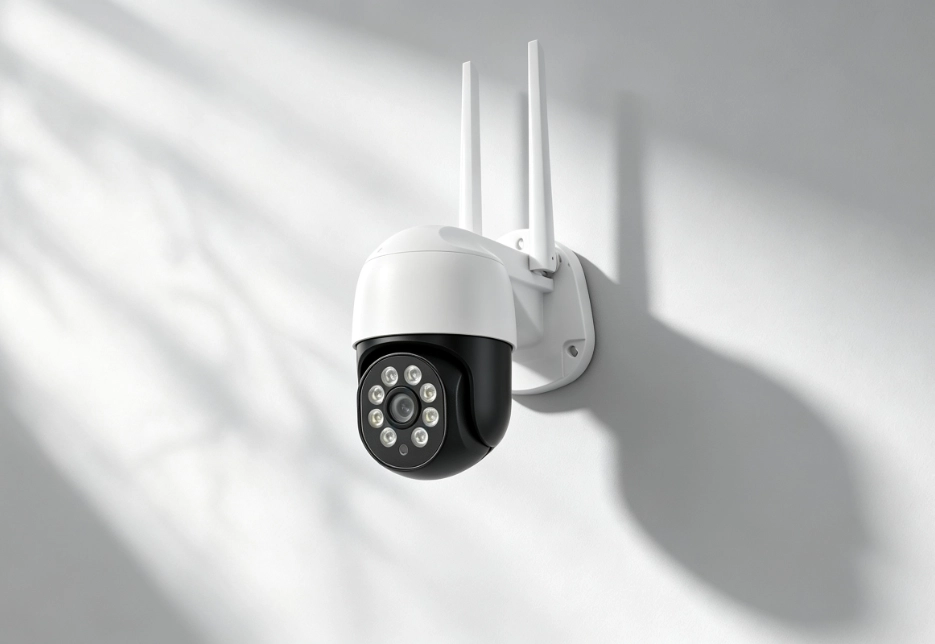
RV Oracle Ultra PTZ (5MP human-tracking PTZ camera): a P2P device supporting five smart event detections — area intrusion, line crossing (A-to-B direction), loitering (10–3600s), personnel absence (1–3 people on duty), and illegal parking with polygon region drawing, 360° pan-tilt, two-way audio, -20°C to 50°C operating temperature, AI human tracking + HD video, and 30 m full-color night vision, ideal for locations that require wide-area patrol monitoring;

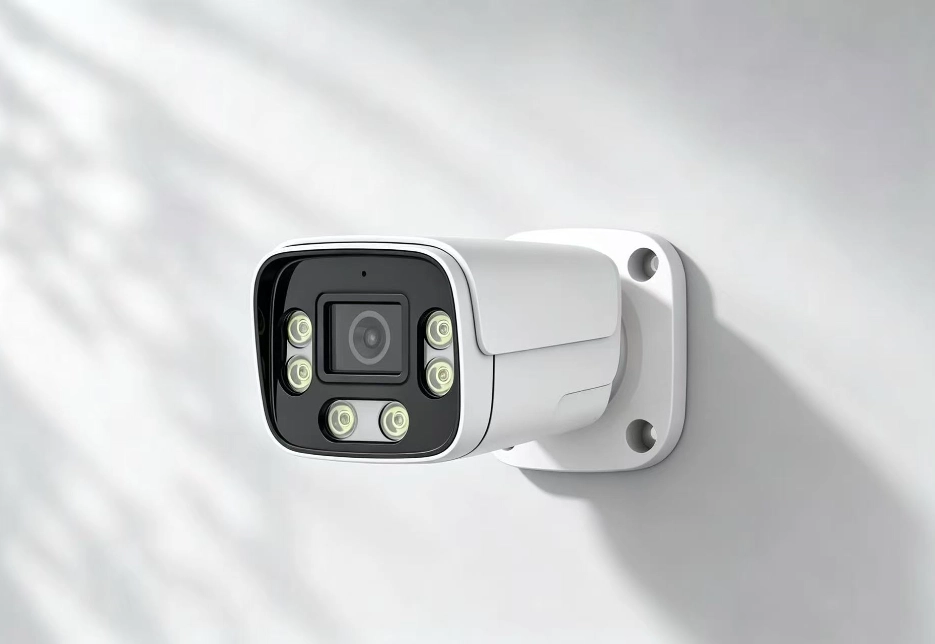
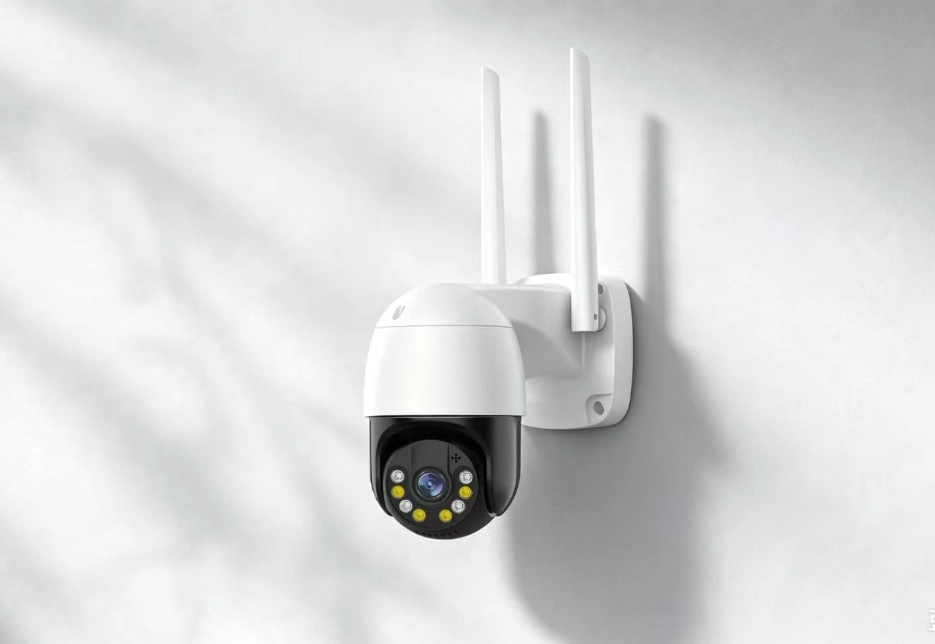
RV Oracle Ultra Bullet (8MP 4K smart camera): a P2P device supporting five smart event detections — area intrusion, line crossing (A-to-B direction), loitering (10–3600s), personnel absence (1–3 people on duty), and illegal parking with polygon region drawing, 4K ultra HD, AI human/vehicle recognition, multi-alarm linkage with red-blue flashing light and siren deterrence, and two-way audio, ideal for users who demand high image quality and intelligent analytics, and can be integrated with an NVR;

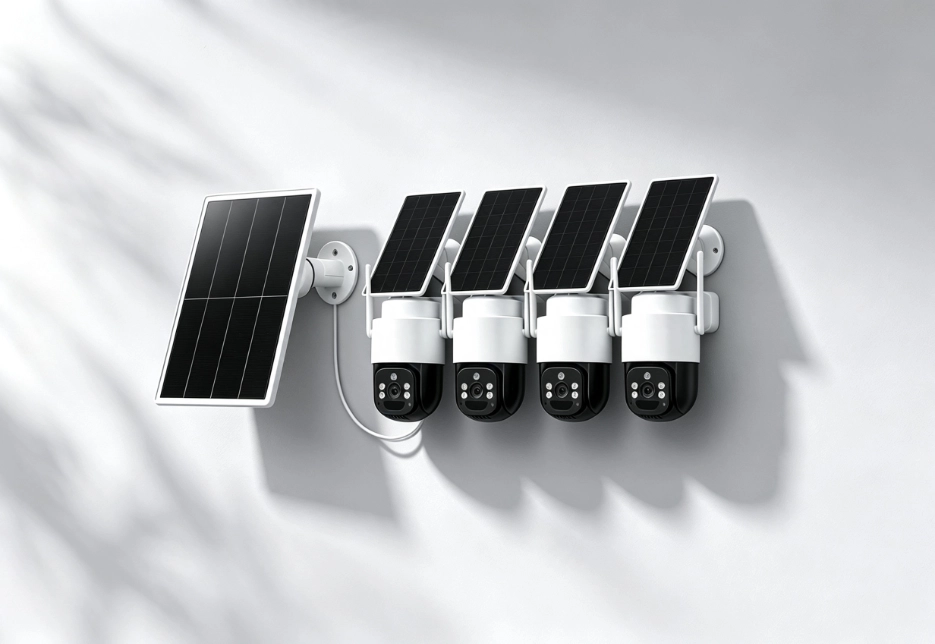
RV FourSight 4G NVR: the cameras work together with the RV FourSight 4G NVR hub; the cameras are IP66 weatherproof, with a 15W solar panel + 20000mAh device battery. The camera unit itself: 3W solar panel + 7800mAh battery (18650 cells), 20–30 m PIR detection, one card supports multiple devices, 200–300 m open-field transmission range between camera and hub, and full-color night vision, ideal for building a multi-camera centralized management system;

RV FourSight 4G NVR: comes standard with 4 wireless cameras, expandable up to 16 channels, with centralized storage management, ideal for whole-property security solutions across multiple locations;

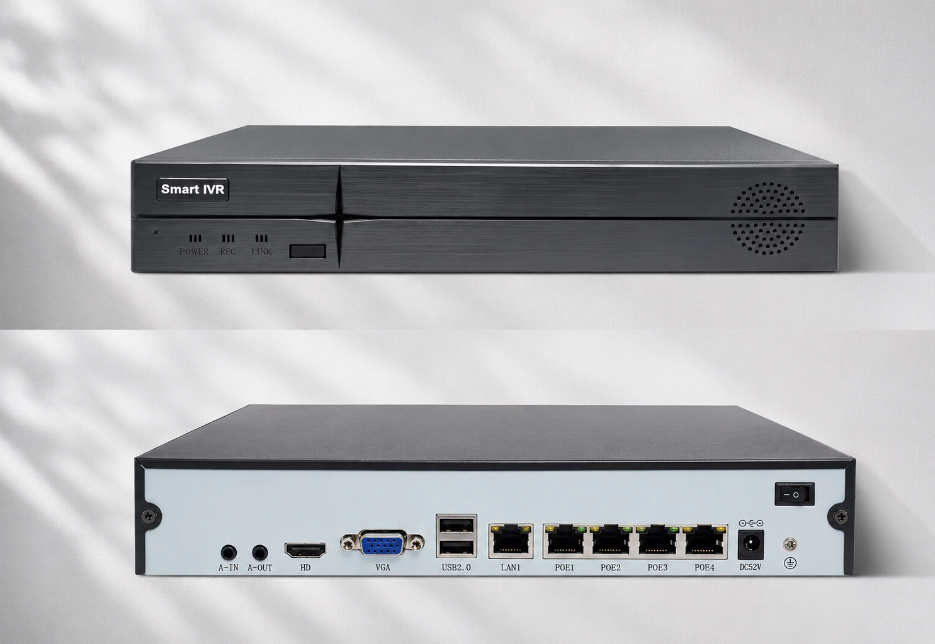
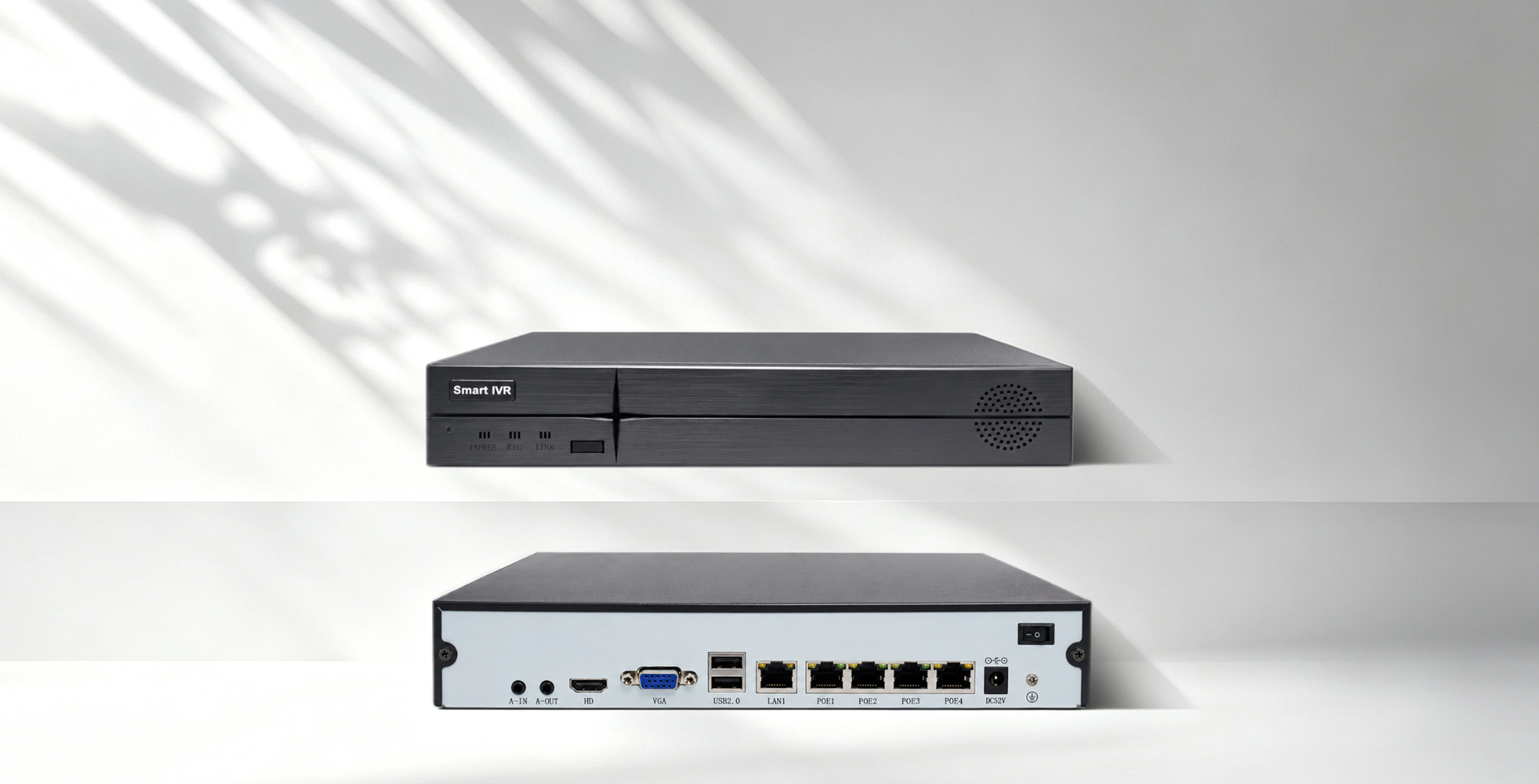
RV Vault NVR-04 / RV Vault NVR-08 (4-channel / 8-channel 4K PoE NVR): 200 m long-distance transmission, one-to-many broadcast, synchronized multi-channel playback, single-cable PoE power + data, multi-camera split-screen live view, and large-capacity local hard drive storage, ideal for fixed sites where cabling is available.

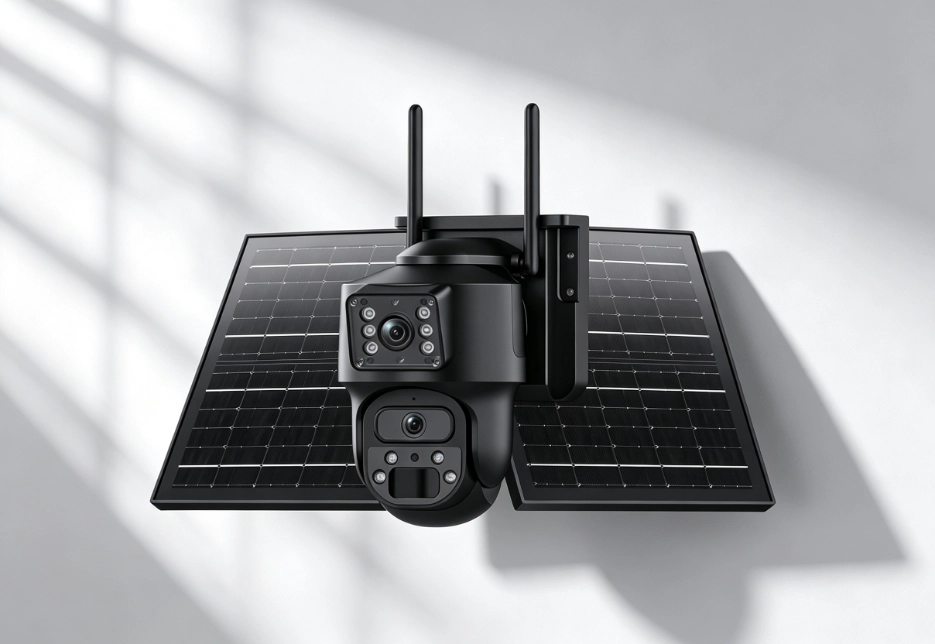
The key difference is power requirements. Solar models (RV Twinview Wireless / RV Ranger PRO Wireless / RV FourSight 4G NVR): no wiring or outlet needed, powered by solar + built-in battery, offering the greatest installation flexibility and ideal for outdoor locations without power; they pair with AOV low-power mode for 24/7 coverage;

Plug-in models (RV Oracle Ultra PTZ DC12V / RV Oracle Ultra Bullet DC12V or PoE / RV Vault NVR + PoE cameras): these support both Wi-Fi and 4G and can be used standalone without a recorder, but require power wiring; with continuous power they support 24-hour full-frame-rate continuous recording and always-on pan-tilt, with more complete image quality and features.

Recommendation: for remote areas without power, choose solar 4G models; if you have power and prioritize image quality and continuous recording, choose plug-in models or the RV Vault NVR solution.

Yes. Several of our products support 4G cellular connectivity: the RV Twinview Wireless, RV Ranger PRO Wireless, RV Oracle Ultra PTZ and RV FourSight 4G NVR all accept a Nano SIM card for remote viewing over 4G, so Wi-Fi is not required at all (the RV Oracle Ultra Bullet is a PoE/DC12V plug-in camera and does not support a 4G SIM). As long as your installation site has compatible 4G coverage, it will work — this is the primary use case for 4G solar cameras.

Yes. The cameras are all designed to outdoor weatherproof standards (IP65/IP66), so indoor use is no problem at all. Note: solar models cannot charge indoors, so you will need to periodically take them down and charge them with a charger (for example, the RV Twinview Wireless supports 5V/2A charging), or install them near a window with sunlight. In low-light indoor locations, solar models need to be connected to power.

RV Twinview Wireless / RV Ranger PRO Wireless: UboxPro app, supporting Android and iOS;

RV FourSight 4G NVR: Essecloud app (supports quick QR-code device pairing and checking device battery level);

RV Oracle Ultra PTZ and RV Oracle Ultra Bullet: LinkEasy mobile app (also supports the IMS lite desktop client and NVR integration).

Yes. You can bind multiple devices under one account and switch between them in the device list on the app’s home screen.

Yes. You can share devices with other users in the app’s device management; the people you share with simply log in to their own accounts to view live video and playback.

The app supports multiple languages; you can choose the language that suits your region.

The RV Ranger PRO Wireless, RV Twinview Wireless and RV FourSight 4G NVR mainly include: the main unit, solar panel(s), mounting bracket, screw kit, user manual, SIM card and Type-C cable, etc. Other non-4G products do not come with a SIM card, and the RV Oracle Ultra PTZ and RV Oracle Ultra Bullet do not include a solar panel.

All cameras support night vision, with per-model capabilities as follows: RV Twinview Wireless: IR HD night vision up to about 20 m, white-light full-color night vision up to about 10 m;

RV Ranger PRO Wireless: 6 high-power IR LEDs + white-light LEDs, supporting both super night vision (white light) and B&W night vision (IR) modes, with a rated night vision range of 100 m (subject to real-world conditions);

RV FourSight 4G NVR companion cameras: support both super night vision (white light) and B&W night vision (IR) modes, with a 200–300 m open-field transmission range between camera and hub and a rated night vision range of 150 m (subject to real-world conditions);

RV Oracle Ultra PTZ: 15 dual-light LED boards, night vision up to about 30 m;

RV Oracle Ultra Bullet: IR / warm-light / dual-light modes, 0–100 adjustable illumination brightness, 30 m night vision, and Smart IR to prevent nighttime IR overexposure.

Choose 4K when you need long-range detail or plan to crop footage later; for ordinary close-range monitoring, 2K is sufficient.

A PTZ is ideal when you need remote pan/tilt, patrol and tracking; a bullet camera is better for continuous monitoring of a fixed area.

A dual-lens camera handles both wide-angle and close-up views at the same time, ideal when you need to see the whole scene and fine details.

Standalone cameras suit a small number of locations; an NVR suits multiple locations, centralized recording and long-term local storage.

Go with a solar + battery solution.

Go with a 4G cellular solution.

Consider the RV Ranger PRO Wireless or the RV FourSight 4G NVR.

We recommend the RV Oracle Ultra Bullet’s “license-plate light collection” mode, or using the RV Ranger PRO Wireless’s optical zoom to pull in on the plate area. Note that in IR B&W mode, license plates are often overexposed by IR reflection, so choose white-light mode when reading plates.

The RV Ranger PRO Wireless is rated for about 100 m night vision, and the RV FourSight 4G NVR companion cameras for 200–300 m. Actual performance depends on your installation environment.

02

App & Getting Started

11 articles

Using the RV Twinview Wireless / RV Ranger PRO Wireless (UboxPro app) as an example:

  1. Search for and download UboxPro from the App Store / Google Play, then register and sign in;
  2. Insert the SIM card / power on the device, and wait for the indicator light to enter pairing mode;
  3. In the app, tap “Add Device” and choose Bluetooth pairing, QR-code scanning, or acoustic (sound-wave) pairing (the RV Twinview Wireless and RV Ranger PRO Wireless both support Bluetooth, QR-code scanning, and acoustic pairing);
  4. Follow the prompts to finish binding, and you can then live-view, playback, and configure the device.

The RV FourSight 4G NVR supports quick QR-code device pairing in the app; the RV Oracle Ultra Bullet and RV Oracle Ultra PTZ are added through the LinkEasy app. For the full pairing workflow, see the Support section on our website or contact customer service.

RV Twinview Wireless: Bluetooth, QR-code scanning, and acoustic pairing — three methods;

RV Ranger PRO Wireless: Bluetooth, QR-code scanning, and acoustic pairing — three methods;

RV FourSight 4G NVR: quick QR-code pairing in the app.

Bluetooth pairing is the fastest and is recommended for new devices; QR-code scanning is better for remote or bulk setup.

Check the following in order: whether the device has sufficient battery (low battery can prevent pairing); whether your phone is close enough to the device (within about 1 m for Bluetooth pairing); whether the app has been granted all permissions (Bluetooth, location, camera, microphone, etc.); for 4G devices, whether the SIM card is inserted correctly and the plan is activated; and whether you should press and hold the reset button for 5–10 seconds to reset. If it still fails, restart the device and retry, or switch to a different pairing method.

Yes. Cameras are bound to your account, not your phone. Install the app on your new phone and sign in with the same account to continue viewing and managing your devices.

Tap “Forgot Password” on the app’s sign-in page and reset your password by verifying your registered email or phone number.

You can change the device name in the app’s device settings. We recommend changing the default password promptly after first-time setup and enabling a strong password.

RV FourSight 4G NVR: battery level can be viewed directly in the app (the device has three indicator groups: 3G/4G status, Wi-Fi status, and battery level). For solar cameras: on the app screen, tap the camera view and the battery level is shown at the top.

Check whether your phone’s system has granted notification permission to the app (allow all permissions during first-time install); check whether motion detection / alert push is enabled for that device in the app; check whether the detection sensitivity is set too low; and for 4G devices, confirm the data plan isn’t used up (it goes offline when data runs out). If still unresolved, try uninstalling and reinstalling the app, then sign in again.

Yes. Devices support remote access via P2P cloud service, so as long as your phone has a network connection (4G or Wi-Fi), you can live-view, playback, and talk from anywhere in the world.

Yes, live preview is supported.

Yes, provided the device has recording storage such as a microSD card, NVR, or an active cloud storage subscription.

03

AOV,PIR & AI

18 articles

PIR (Passive Infrared) triggers recording by sensing changes in the infrared heat emitted by people/animals, which is more power-efficient and accurate than image-only motion detection. PIR range by model: RV Twinview Wireless: 10–12 m;

RV Ranger PRO Wireless: 10–12 m;

RV FourSight 4G NVR wireless cameras: 20–30 m.

Yes. The RV Twinview Wireless and RV Ranger PRO Wireless both support human detection, using human filtering to reduce false alerts from animals, swaying branches and light changes, and support smart tracking/recognition related to people and vehicles. The RV Oracle Ultra Bullet goes further: with a built-in AI algorithm, it can identify people and vehicle types on its own, and you can specify the detection target as “person” or “vehicle.”

With AI tracking enabled, the RV Twinview Wireless / RV Ranger PRO Wireless automatically rotates to follow a person’s movement and keep them in frame, ideal for watching over large areas. The RV Oracle Ultra PTZ supports human tracking + zone-drawing alerts: after you draw a key area in the app, the PTZ automatically patrols and tracks/takes video when it detects a person.

Depending on the model, alert actions include: real-time push notifications in the app (all models); white-light flashing as a deterrent (solar models use white-light illumination for alarm/wake-up recording, which also serves as a deterrent); and audible/visual alarms — the RV Oracle Ultra Bullet supports red-blue flashing lights + siren linkage;

email/FTP push: the RV Oracle Ultra Bullet supports FTP image upload and email alerts with attached snapshots;

alarm I/O linkage: the RV Oracle Ultra Bullet provides one alarm input and two alarm outputs, so you can connect external devices such as a siren.

Optimize in this order (all in the app): lower the PIR range setting and detection sensitivity; enable human detection / AI human filtering to filter out animal and light-shadow false alarms; set an activity (detection) zone to exclude high-traffic areas like roads and bushes; and adjust the mounting angle to avoid pointing directly at roads, water or highly reflective surfaces.

Yes. The activity zone setting lets you define a specific region to monitor in the frame (polygon selection). Arming schedules: the RV Oracle Ultra Bullet supports all-day / night-only arming modes and per-weekday custom arming times, with up to 4 time periods per day.

Bullet-dome linkage is a signature feature of the RV Twinview Wireless: the camera has both a wide-angle bullet lens (2.8mm, for the full scene) and a movable close-up dome lens (4mm, for detail). After calibrating the pan-tilt in the app, tap any spot on the bullet view and the dome lens automatically turns to that position for a close-up look — “tap where you want to see.”

The RV Oracle Ultra PTZ and RV Oracle Ultra Bullet support five smart event detections: area intrusion — an object enters a defined polygon zone; line crossing — an object crosses a defined tripwire (direction settable); loitering — an object stays in a zone beyond a set duration (10–3600 s); personnel absence — the number of people in a zone falls below a set threshold for a set duration; and illegal parking — a vehicle stays in a zone beyond a set duration. Each event supports all-day/night arming, weekly scheduling (4 periods per day), detection-zone drawing, person/vehicle target-type selection and alarm linkage.

The RV Oracle Ultra PTZ supports detection-zone and multi-level sensitivity settings; solar models support PIR range levels (5 levels) and detection sensitivity adjustment. We recommend starting from the middle level and fine-tuning based on actual false/missed alarms: lower it if there are too many false alerts, raise it if events are missed.

Yes. Detection works around the clock; at night, IR/white-light illumination keeps the image usable, and PIR and AI detection are unaffected by darkness. The RV Oracle Ultra Bullet also supports a “night arming” mode that can be set to arm only during specific nighttime periods.

Pets may trigger PIR, but enabling human detection filtering reduces useless alarms caused by animals.

AOV (Always-On Video) is a low-frame-rate continuous recording technology. A normal battery camera sleeps completely when no motion is detected, so the few seconds before an event are missing; in AOV mode, the camera continuously records at a very low frame rate (e.g., one frame every 1–60 seconds), running 24/7 so there is always footage to review, while consuming far less power than regular continuous recording. In short: AOV = no gaps in coverage + low power consumption.

Yes. RV Twinview Wireless: AOV frame rate can be set to 1, 1/2, 1/3, 1/5, 1/10, 1/20, 1/30, or 1/60 fps;

RV Ranger PRO Wireless: AOV snapshot interval can be set to 1, 2, 3, 5, 10, 20, 30 or 60 seconds (default one frame every 3 seconds), with a capture time of about 100ms. Shorter intervals give smoother, more complete footage but use more power and storage; longer intervals save more power. Adjust flexibly to suit the scene.

AOV is low-frame-rate capture (similar to time-lapse), so playback is choppy and not as smooth as regular video, but resolution and clarity are unaffected. The RV Twinview Wireless / RV Ranger PRO Wireless both record event footage at a normal 15fps. When PIR detects activity, the camera automatically wakes up and records HD event video at 15fps — i.e., “low frame rate on standby, HD recording when something happens.”

For scenarios with hard requirements on continuous recording (storefronts, warehouse entrances, etc.), we recommend always-powered plug-in devices: the RV Oracle Ultra PTZ or RV Oracle Ultra Bullet (4K / high-frame-rate continuous recording), or the RV Vault NVR + PoE camera setup (scheduled continuous recording + event-triggered recording dual modes). The solar models — RV Twinview Wireless, RV Ranger PRO Wireless and RV FourSight 4G NVR — are positioned as “low power + full coverage”, and AOV already covers most security/evidence needs. If outdoor Wi-Fi is weak or sustained power is hard to maintain, a solar model is a good choice.

No, they do not. The wireless cameras bundled with the RV FourSight 4G NVR use a PIR wake-up mechanism (20–30 m detection range) and record only when triggered; the RV FourSight 4G NVR recording modes are scheduled recording and motion-detection recording. For always-on snapshot capability, choose the RV Twinview Wireless or RV Ranger PRO Wireless.

When the battery is too low, the device automatically turns off AOV and enters low-power protection: the RV Twinview Wireless threshold is about 20%, and the RV Ranger PRO Wireless about 30%. PIR detection and app remote wake-up still work at this stage, and AOV resumes once power is restored.

AOV footage is stored on the microSD card (or cloud storage) just like event recordings. Its low frame rate means it uses far less space than continuous recording.

04

Night Vision &Audio

13 articles

It depends on the selected night-vision mode; the products support multiple modes: RV Twinview Wireless: smart illumination (IR for AOV snapshots, white light for alarm recording) / full-color illumination / IR illumination — three modes;

RV Ranger PRO Wireless: super night vision (white light for alarm/wake-up recording, IR for AOV snapshots) / B&W night vision (full IR) — two modes;

RV Oracle Ultra PTZ: ICR dual-filter switching, supporting dual-light / color / B&W day-night modes;

RV Oracle Ultra Bullet: IR / warm-light / dual-light, with ICR supporting auto / color / B&W / external-trigger / custom-time switching.

White-light (warm-light) mode produces full-color images; IR mode produces black-and-white.

RV Oracle Ultra PTZ: 15 dual-light boards, night vision up to about 30 m;

RV Twinview Wireless: IR HD night vision up to about 20 m, white-light full-color night vision up to about 10 m;

RV Ranger PRO Wireless: 6 high-power IR LEDs + white-light LEDs, 100 m night vision (best-case lab conditions; real-world results vary by environment);

RV Oracle Ultra Bullet: 30 m night vision;

RV FourSight 4G NVR companion cameras: 150 m night vision.

It’s adjustable: the RV Oracle Ultra Bullet’s illumination brightness supports 0–100 levels with auto / manual / off states; solar models can choose IR mode (B&W image, no light emitted) or smart illumination mode (IR normally, white light only on alarm). For light-sensitive environments (facing a neighbor’s window, etc.), we recommend IR or smart illumination mode.

The RV Oracle Ultra Bullet supports Smart IR, which automatically adjusts IR intensity to prevent near-field overexposure; it also offers “light-collection strategy” settings (off / person / license plate) to optimize exposure for people and plate scenarios. On other models, if overexposure occurs, try lowering the illumination brightness or adjusting the mounting angle to avoid nearby reflective objects.

In white-light full-color mode, faces and clothing colors within night-vision range are visible. For license plates, we recommend using the RV Oracle Ultra Bullet’s “license-plate light collection” mode, or the RV Ranger PRO Wireless’s optical zoom to pull in on the plate area. Note: in IR B&W mode, plates are often overexposed by IR reflection, so choose white-light mode when reading plates.

No. The device senses ambient brightness with a light sensor and automatically switches to night vision at dusk and back to color at dawn (the ICR infrared filter switches automatically). The RV Oracle Ultra Bullet additionally supports custom switch times and a manual lock mode.

Both the RV Oracle Ultra PTZ and RV Oracle Ultra Bullet support digital WDR (wide dynamic range, with low/medium/high settings) to improve dark foregrounds in backlit scenes; the RV Oracle Ultra Bullet also supports backlight compensation and highlight suppression. When installing, avoid pointing the camera directly at strong light sources. The RV Twinview Wireless / RV Ranger PRO Wireless can use zoom and fixed focus to sharpen the image.

Yes. All models have a built-in high-sensitivity microphone (the RV Twinview Wireless mic sensitivity is -38dB), and recordings capture on-site audio simultaneously.

Yes. The devices have a built-in microphone and speaker for two-way audio: press and hold the talk button on the app’s live view to speak with whoever is near the camera. Use cases: telling a courier where to leave a package, reminding workers on a site, warning intruders, etc.

The RV Twinview Wireless / RV Ranger PRO Wireless support both simplex and full-duplex voice modes: full-duplex lets you talk and listen simultaneously (like a phone call), while simplex is push-to-talk (like a walkie-talkie).

Yes. The RV FourSight 4G NVR has a reserved audio output for an external speaker (specs: 30mm diameter / 1W / 8Ω).

Check: whether the app has microphone permission; whether you’re in simplex mode and need to hold the talk button; and the device speaker volume setting. If still abnormal, restart the app and device and try again.

Yes, all models have a built-in microphone and support synchronized audio recording.

05

4G & Connectivity

13 articles

Yes. 4G cameras use a standard Nano SIM card (the smallest size), inserted into the slot under the waterproof cover on the body.

RV Twinview Wireless / RV Ranger PRO Wireless / RV FourSight 4G NVR: first-time use includes a 7-day free unlimited-data trial; after the trial ends, you must top up and purchase a data plan in the app to continue using 4G.

Yes. The devices accept a standard Nano SIM card, so you can use a local carrier’s IoT SIM or a phone data SIM. Two things to note: ① the carrier’s frequency bands must match your device’s 4G module version (US and EU versions use different bands, so choose the correct version at purchase); ② we recommend using cards from reputable brands and authorized channels, as low-quality cards may cause frequent disconnects.

RV FourSight 4G NVR (CAT4 module) supported bands — US version: FDD B1/B2/B3/B4/B5/B7/B8/B12/B17/B28/B66; TDD B38/B40/B41; EU version: FDD B1/B3/B5/B7/B8/B20/B28; TDD B38/B40/B41. RV Oracle Ultra PTZ (CAT4 full-netcom): LTE-FDD B1/B3/B5/B8; LTE-TDD B34/B38/B39/B40/B41, supporting China Mobile / China Telecom / China Unicom. RV Twinview Wireless / RV Ranger PRO Wireless (US / EU / AU / JP and global versions): please confirm at purchase that the version shipped matches your local carrier’s frequency bands.

Data usage depends on trigger frequency, live-viewing time, and footage upload volume. Typical industry reference values: light use (receiving alerts only, occasional viewing): about 500MB–2GB/month; moderate use (viewing live video daily): about 2–5GB/month; heavy use (frequent live streaming, high-resolution playback, cloud uploads): may exceed 10GB/month. Data-saving tips: choose SD mode when watching live (reserve HD for local microSD storage); enable human detection filtering to reduce false triggers; and avoid prolonged continuous live viewing.

When the data runs out, the device goes offline in the app, so you can’t view remotely or receive push alerts; however, local microSD recording usually continues (stored on the card) and can be reviewed after reconnecting. After topping up data in the app, you may need to restart the device to reconnect in some cases.

The RV FourSight 4G NVR has 2 external 4G antennas + 2 external Wi-Fi antennas, and you can adjust antenna direction to improve the signal;

install the device in an open location with no large metal obstructions;

solar models can use the extension cable to move the main unit to a location with better signal (the RV Twinview Wireless includes a 3 m cable, the RV Ranger PRO Wireless a 2 m cable).

It depends on the model. RV Twinview Wireless and RV Ranger PRO Wireless: support 4G and 2.4G Wi-Fi dual-mode, so you can switch to Wi-Fi at home to save data;

RV FourSight 4G NVR: supports 4G only.

The RV Oracle Ultra Bullet and RV Oracle Ultra PTZ can connect over Wi-Fi when used without a recorder.

The 4G modules come in regional versions (US / EU / AU / JP / Middle East / Southeast Asia / global), and different versions use different frequency bands, so cross-region use may fail to connect. The RV Ranger PRO Wireless is available in Middle East, Southeast Asia, US, EU, AU and global versions; the RV Twinview Wireless supports US, EU, AU, JP and global versions. We recommend contacting customer service to confirm version compatibility before taking a device abroad.

When using a SIM card you purchased yourself, if the device can’t connect, you usually need to configure that carrier’s APN settings in the app’s network settings (you can obtain the APN name from your carrier).

RV Twinview Wireless and RV Ranger PRO Wireless: support 2.4G Wi-Fi;

RV FourSight 4G NVR: supports Wi-Fi 6, dual-band 2.4G/5G (the hub itself can act as a network center);

RV Oracle Ultra PTZ / RV Oracle Ultra Bullet: 2.4G Wi-Fi only, not compatible with 5G Wi-Fi. When pairing, make sure your phone is connected to the 2.4G band (if your router merges both bands, we recommend giving them separate SSIDs).

Reduce walls between the camera and router (each wall significantly weakens the signal); move the router closer or add a Wi-Fi repeater/extender; the RV Oracle Ultra PTZ and RV Oracle Ultra Bullet support RJ45 wired Ethernet, so for long distances prefer a direct cable connection for greater stability.

Both the RV Oracle Ultra PTZ and RV Oracle Ultra Bullet have a RJ45 10/100M auto-negotiating Ethernet port for a direct cable connection to a router/switch; the RV Oracle Ultra Bullet also supports PoE power (single cable for power + data). Cameras in the RV Vault NVR series connect to the NVR via PoE cable.

06

Weather & Install

12 articles

Weatherproof ratings: the RV Ranger PRO Wireless and RV FourSight 4G NVR are IP66, and the RV Twinview Wireless is IP65; all are designed for outdoor all-weather use and operate normally in rain and snow. Note: when installing, always reseat the waterproof covers/gaskets on every port correctly — an unsealed solar charging port is the most common cause of water damage.

RV Twinview Wireless: -30°C to +60°C;

RV Ranger PRO Wireless: -40°C to +65°C;

RV Oracle Ultra PTZ: -20°C to +50°C;

RV Oracle Ultra Bullet: -10°C to +50°C;

RV Vault NVR series: -10°C to +55°C (indoor installation recommended);

RV FourSight 4G NVR: -20°C to +55°C. Cold-weather tip: lithium batteries lose usable capacity in extreme cold, so shorter runtime is normal; in extremely cold regions we recommend checking AOV interval frequency more often and keeping the solar panel clear of snow.

Yes. Each model tolerates up to 50–65°C (see the list above), covering summer outdoor conditions in most regions. We recommend avoiding pointing the camera at a west-facing wall that gets direct sun all day, to extend the life of the body and battery.

No. Solar models require no wiring or electrical work, and the box includes the mounting bracket and screws: the RV Twinview Wireless bracket supports manual horizontal adjustment and includes a 3 m extension cable; the RV Ranger PRO Wireless has an adjustable center bracket and a 2 m extension cable, suiting various mounting positions. Following the manual, installation takes about 10 minutes. There are also matching app-connection and installation tutorials for each product.

For solar models we recommend a mounting height of 2.5–3 m, with the solar panel facing south / the direction of strongest sunlight, and avoiding pointing the lens directly at strong light and headlights. Other models can be adjusted to your monitoring area and direction needs. Best solar panel tilt: for balanced year-round output, the optimal tilt roughly equals your local latitude; level it in summer and steepen it in winter to improve seasonal output. Face the panel toward the midday sun (south-facing in the Northern Hemisphere).

Yes. Using the included extension cable (3 m for the RV Twinview Wireless, 2 m for the RV Ranger PRO Wireless), you can mount the solar panel where sunlight is best and the main unit where the viewing angle is best, separately. We recommend tightening both ends of the extension cable and applying waterproof sealant to keep rainwater from seeping into the unit.

Yes, but note: large metal structures can block 4G/Wi-Fi signals, so we recommend keeping the antenna/main unit outside the metal enclosure, or preferring the RV FourSight 4G NVR (the hub can be placed where signal is good, and cameras connect to it wirelessly).

RV Ranger PRO Wireless: net weight 2.3kg, dimensions / retail box approx. 25.9 × 19 × 17.5cm;

RV Vault NVR series: 210×255×42mm;

RV Twinview Wireless: about 1.5kg, dimensions 23 × 18 × 15cm (reference values);

RV Oracle Ultra PTZ / RV Oracle Ultra Bullet / RV FourSight 4G NVR: contact support@ruggedvision.com for the detailed spec sheet.

IP66 is a protection rating indicating the device’s dust and powerful-jet water resistance. It means the device has a high level of dust and water-jet protection; in real use you still need to install the waterproof covers and seals correctly.

PoE (Power over Ethernet) delivers power and data simultaneously over a single network cable.

Solar models: restart remotely in the app, or turn the power switch off and back on; RV Oracle Ultra PTZ: reset button on the tail cable;

RV FourSight 4G NVR: Bluetooth near-field restart in the app, or use the power switch;

RV Vault NVR: power switch on the rear of the unit.

RV Oracle Ultra PTZ / RV Oracle Ultra Bullet: press and hold the reset button on the tail cable;

RV FourSight 4G NVR: the reset button on the body (a factory reset clears all configuration and pairing information);

RV Twinview Wireless / RV Ranger PRO Wireless: press and hold the Reset button on the body for about 6–8 seconds.

07

Power,Battery & Solar

10 articles

RV Twinview Wireless: built-in 10050mAh lithium battery (3× 18650 cells);

RV Ranger PRO Wireless: built-in 20800mAh lithium battery;

RV FourSight 4G NVR: built-in 20000mAh high-capacity battery (companion wireless cameras each have an additional 7800mAh battery + 3W mini solar panel).

Note: The RV Oracle Ultra PTZ and RV Oracle Ultra Bullet are plug-in models (DC12V powered) and do not contain a battery.

RV Twinview Wireless: 6W monocrystalline solar panel (3W+3W);

RV Ranger PRO Wireless: 14W monocrystalline solar panel (7W+7W dual-panel design);

RV FourSight 4G NVR: 15W solar panel.

Battery life depends on many factors — AOV frame-rate settings, number of triggers, live-viewing time, ambient temperature, etc. — so there is no one-size-fits-all figure. Actual runtime also depends on trigger frequency, live-viewing time, temperature, 4G signal strength and solar charging conditions.

Yes. The devices rely on their built-in high-capacity battery through periods without sunlight: during consecutive cloudy/rainy days, the RV Twinview Wireless, RV Ranger PRO Wireless and RV FourSight 4G NVR continue to run on battery, with actual runtime depending on trigger frequency, AOV settings, connectivity and remaining charge. In winter, weaker and lower-angle sunlight reduces charging efficiency, so we recommend aiming the solar panel toward the strongest sunlight and keeping it clean.

Check the following in order: make sure the cable between the solar panel and main unit is firmly connected and the waterproof cover is properly seated; confirm the panel isn’t blocked by leaves, dust or snow and receives direct sunlight during the day; check the panel’s orientation and tilt (the best tilt is roughly your local latitude for year-round average; you can level it in summer and steepen it in winter, with the panel facing directly toward the sun); and confirm the battery isn’t already full (once full, it stops charging and the charging indicator turns off — e.g., the RV Ranger PRO Wireless green light goes out when full).

Common causes include: overly frequent detection triggers (high foot/vehicle traffic at the site, or sensitivity set too high causing false triggers); AOV snapshot interval set too short (shorter intervals drain more power — lengthen the interval); prolonged live viewing or frequent playback; weak 4G signal causing the device to boost transmit power to stay connected; low temperatures reducing usable battery capacity (a lithium-battery characteristic); and a poor solar panel connection so it isn’t actually charging during the day. Optimization: enable human detection filtering, lower sensitivity, shrink the detection area, lengthen the AOV interval, and choose a site with good signal.

The device automatically enters a low-battery management strategy: RV Twinview Wireless: below about 20%, it automatically turns off AOV and enters low-power mode, while PIR detection and remote wake-up via the app remain available;

RV Ranger PRO Wireless: below about 30%, it enters low-power mode, likewise retaining PIR and remote wake-up.

We recommend keeping an eye on battery alerts in the app and, when low, restoring solar charging or topping up with a charger as soon as possible.

Yes. RV Twinview Wireless: supports 5V/2A Type-C external charging;

RV FourSight 4G NVR: supports 5V power and has a Type-C port for fast charging (for emergency top-ups without solar);

RV Ranger PRO Wireless: supports 5V/2A Type-C external charging.

Disassembling the unit yourself may compromise the waterproof seal and void the warranty. If a replacement is needed, contact support@ruggedvision.com to go through the official service process; the factory or an authorized service center will replace the original battery. Self-disassembly is prohibited.

RV Oracle Ultra PTZ: DC 12V/2A adapter;

RV Oracle Ultra Bullet: DC 12V, or optional PoE power (over the network cable);

RV Vault NVR-04: DC 52V/1.25A, total power consumption ≤65W;

RV Vault NVR-08: DC 52V/2.3A, total power consumption ≤100W. Be sure to use the original power adapter; incorrect voltage may damage the device.

08

Troubleshooting

11 articles

Troubleshoot in this order: ① Battery: if the app can’t connect, check whether the device indicator lights are on; solar models may be low after prolonged rain, so charge with a charger for 2–3 hours and try again; ② Data: for 4G devices, confirm the data plan isn’t used up (it goes offline when exhausted) and check/recharge the balance in the app; ③ Signal: test 4G signal strength on your phone at the same location; ④ SIM card: whether it’s inserted backward or not fully seated, and whether the card is activated or has an unpaid balance; ⑤ Restart: turn the power switch off for 30 seconds and back on. If everything above is normal but it’s still offline, contact customer service with your device ID and indicator status.

Common causes and fixes: weak 4G signal — check the signal bars in the app and adjust the device position or antenna direction; watching an HD stream — switch to SD (smooth) mode; slow local network — check your phone’s current Wi-Fi/4G status; multiple devices sharing one data card — make sure each device uses its own plan.

Possible causes: the device entered low-power mode when the battery was too low (AOV turned off); cloud/remote view was unavailable while data was exhausted, but microSD local recording should still be ongoing (remove the card to confirm); or the microSD card is faulty or full with abnormal overwrite — format it and observe. We recommend enabling AOV mode to guarantee round-the-clock coverage.

At night, IR mode defaults to a black-and-white image. For color: switch to “full-color / white-light / warm-light” mode in the app’s image settings, or choose “smart illumination” (auto white light on alarm). If the daytime image is still black-and-white, check whether the day/night switch is manually locked to the B&W setting.

Wipe the lens clean (rain spots and dust are the most common causes); check whether the protective film is still on the lens; the RV Oracle Ultra Bullet has a manual-focus lens, so you can fine-tune focus; the RV Oracle Ultra PTZ has a “defog” function (off / low / medium / high).

Obstacles near the lens (leaves, eaves, insects, raindrops) reflect IR light and create white spots. Adjust the mounting angle so there are no obstructions close to the lens (within 1 m). Zoom in or adjust focus to optimize the image.

Confirm the card’s capacity is within the supported range and that it’s a genuine brand card; remove it, wipe the contacts with an eraser, and reinsert; check in the app’s storage settings whether the card is recognized and perform a format; and test with another card to verify whether the card is the problem.

Check whether your phone and camera are on the same network; confirm the router’s AP isolation feature is off; restart the router and camera. If still inaccessible, remove the device and re-pair it.

Check the app’s microphone permission, device volume settings, and talk mode (simplex requires holding the talk button).

First restart the device; check whether patrol or tracking mode was accidentally enabled in the app; confirm there are no physical obstructions in the rotation path. If still abnormal, contact after-sales service (a pan-tilt motor fault requires return for inspection).

① Confirm both the cameras and hub are powered on with sufficient battery; ② shorten the distance and press the pairing button again; ③ check whether the hub has reached its channel limit (4 standard, up to 16).

Can't find what you need?
Our North America team is here for you.

Email support, live chat, and downloadable manuals are available 24/7. Most tickets receive a response within 24 hours.